 FillKaro
Placement forms,
filled in one click
Save your details once. FillKaro fills Google Forms, college placement portals, internship and hackathon applications — names, roll number, CGPA, 10th & 12th marks, backlogs and more.
No account · No server · Works in Chrome and other Chromium browsers
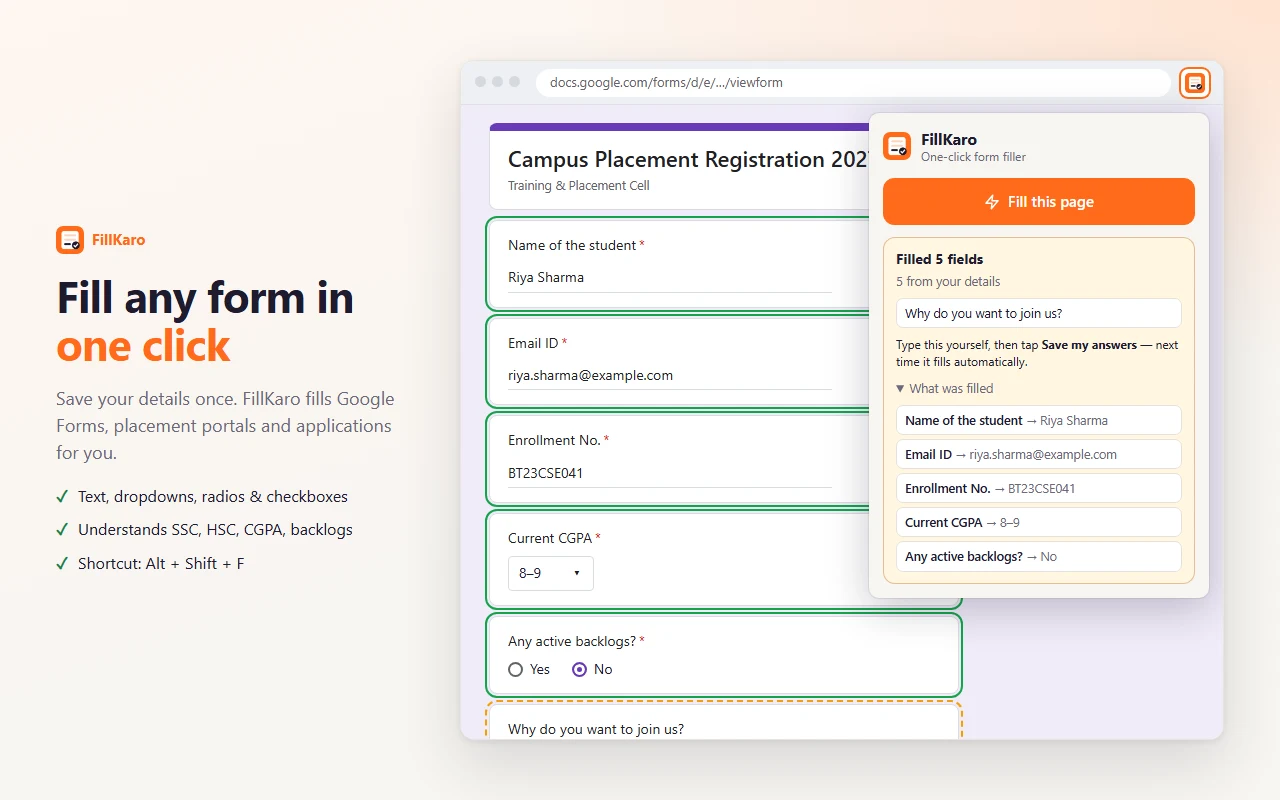
Everything a form asks you, again and again
Built for Indian college forms — it understands the way they are worded.
One click, or Alt+Shift+F
Fills text boxes, dropdowns, radio buttons and checkbox lists on the page you're on.
Speaks Indian forms
SSC % = 10th, HSC / Intermediate = 12th, Class X, Year of passing, dead backlogs, PRN / USN / enrollment.
Picks the right option
Male → M, 0 backlogs → No, 8.12 → "8–9", MME → Metallurgical and Materials Engineering.
Learns your answers
Fill a form once and tap "Save my answers" — "Why do you want to join?" fills itself next time.
Preview and undo
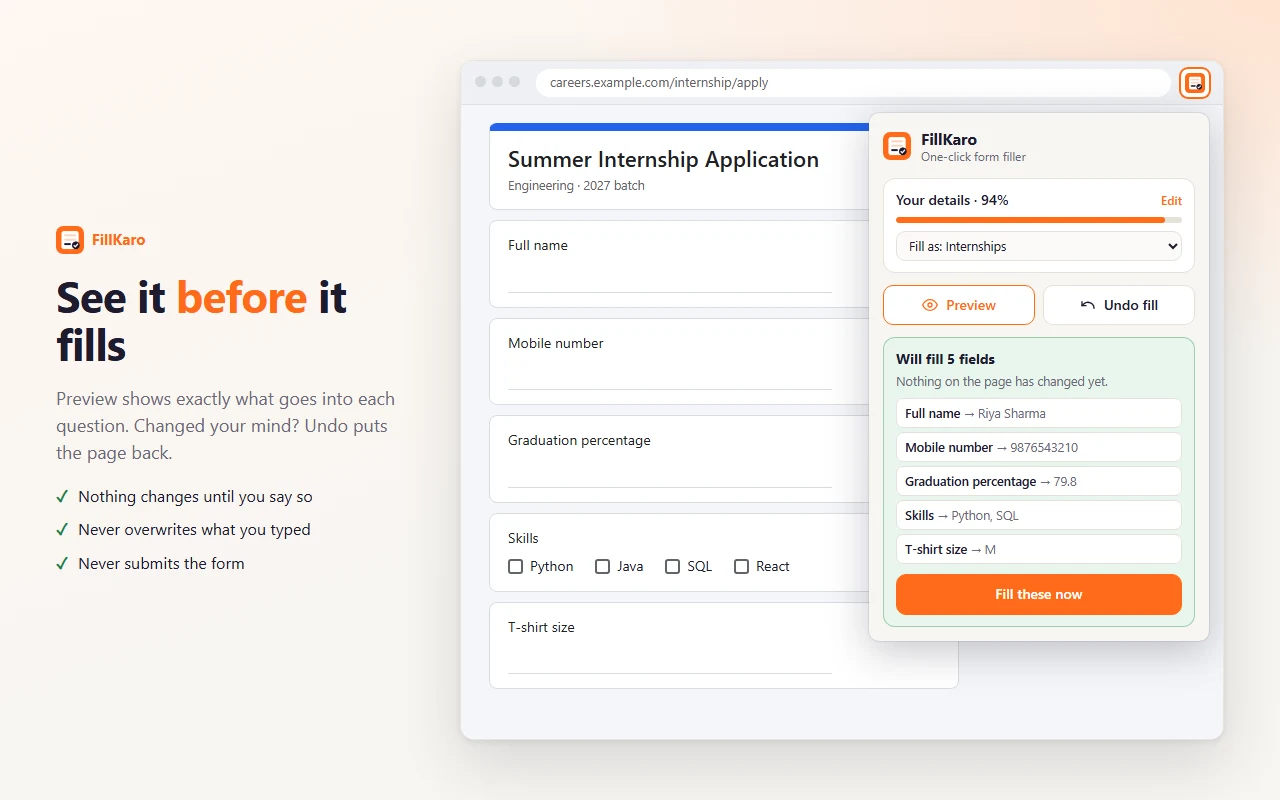
See what goes into each question before anything changes, and put the page back in one click.
Profiles
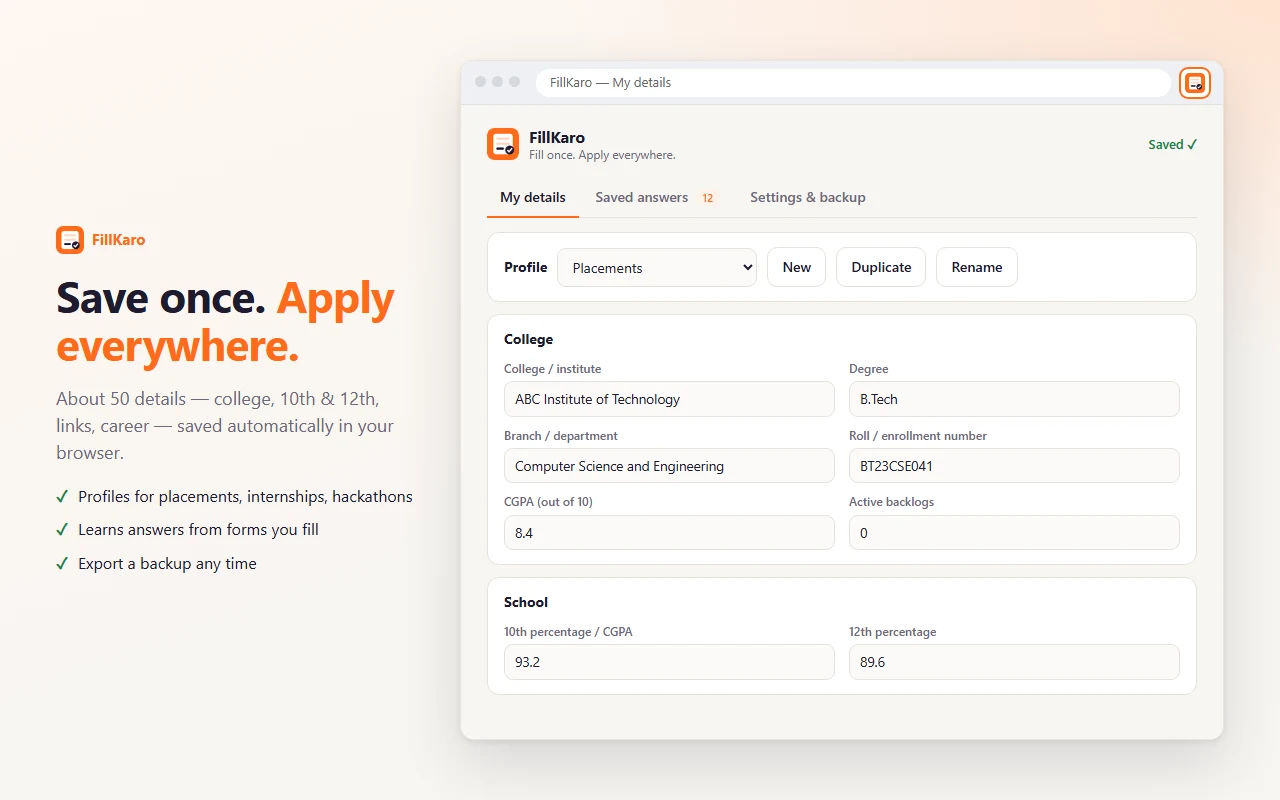
Separate details for placements, internships and hackathons. CGPA converts to % when a form asks.
See it before it fills
Nothing on the page changes until you say so — and FillKaro never presses Submit.
Private and safe by design
Your details are yours. FillKaro has no server to send them to. Read the privacy policy.
Stays on your device
Stored in Chrome's local extension storage. Nothing is uploaded, sold or shared. No analytics.
Never submits
You always review the form and press Submit yourself.
No auto "I agree"
Terms, consent and declaration boxes are never ticked.
Skips sensitive fields
Password, OTP, captcha, card, bank, IFSC, UPI, Aadhaar and PAN are left alone.
Knows whose details
Father's mobile or emergency contact never gets your number.
Runs only when you click
No background reading of pages and no "read all your data on all websites" permission.
Start in two minutes
- Add FillKaro to ChromeThe settings page opens by itself.
- Fill "My details" onceName, college, CGPA, 10th and 12th, links. It saves as you type.
- Open any form and click FillOr press Alt+Shift+F. Green = filled, amber = left for you.
Questions
Is it free?
Yes. No account, no subscription, no ads.
Where is my data stored?
Only in your browser, in Chrome's local extension storage. Uninstalling FillKaro deletes it. You can export a backup file from Settings.
Does it work on Google Forms?
Yes — text answers, dropdowns, multiple choice and checkbox questions. Open the form link directly (not embedded inside another website).
Can it upload my resume?
No. Chrome doesn't let extensions pick files, so upload fields are left for you. You can save a public Drive link to your resume and FillKaro fills "Resume link" questions.
A field wasn't filled. What now?
Type it yourself and tap "Save my answers from this page" — it fills next time. If FillKaro matched something wrong, please open an issue with the question's wording.